


Product Support
gen1 8 oz. rechargeable sensor soap pump w/ soap sample

Product Support
gen1 8 oz. rechargeable sensor soap pump w/ soap sample
TROUBLESHOOTING
Charge the sensor pump using the included USB cable until green light remains solidly lit.
- Clean the sensor window area with a damp cloth, then wipe dry.
- Ensure no objects (e.g., sponges, ledges) are underneath the sensor area.
- Move the pump to a different location to avoid interference from bright light.
Press the '-' button at the top of the pump to reduce dispense volume.
- Clean the sensor area with a damp cloth, then dry.
- Make sure nothing is obstructing the sensor underneath the pump.
- Try relocating the pump to avoid interference from bright lighting.
- Check battery level or insert fresh batteries and try again.
- Check orientation of batteries, making sure they are lined up correctly and try again.
- Using a flat head screwdriver or steel wool, gently scrape away rust. If rust cannot be removed, order new battery cover.
Sensor may be obstructed, too close to an object or affected by light.
- Clean sensor window area with damp cloth. Wipe area immediately with a clean, dry cloth and try again. Please also check the area underneath the soap pump as a ledge, sponge, or other items on the counter surface may be triggering the sensor.
- Light may be interfering with sensor. Move the pump to another location with less intense lighting and try again.
- Increase the dispensing level using the + button.
- Clean any soap residue from the valve.
- Avoid using soaps with exfoliants or beads, and increase setting for thicker products.
- Press and hold + until soap dispenses. If the valve is sealed, gently flick the rubber tip to allow airflow.
REPLACEMENT PARTS
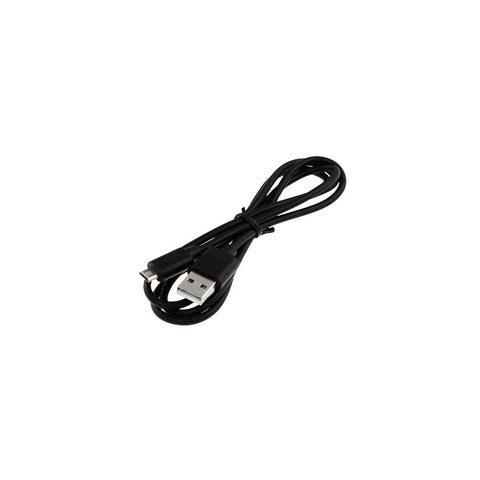
Micro-Usb Cable (Pre-2021)
PD6083
$10
INSTRUCTIONS
Instruction Sheet
Download the instruction sheet for your Instruction Sheet.
WARRANTY
To file a warranty claim, please click here.
CONTACT US
Chat With Us
Start chat (8am - 5pm PST)
