


Product Support
Sensor Pump 14 oz.

Product Support
Sensor Pump 14 oz.
TROUBLESHOOTING
- Wipe the sensor window clean. Rubbing alcohol and a microfiber cloth are recommended.
- Switch the unit off for 5 seconds, then switch the unit back on.
Gently wipe any dried residue from the spout with a wet paper towel.
3-4 hours or until a solid white light is displayed.
A solid white light indicates the unit is fully charged and displays when the unit is powered on. A pulsing white light indicates the unit is charging. A solid red light indicates the unit low on charge.
The air vent cutout might be clogged. Gently wipe any soap residue from around the white seal under the lid.
Pump needs to be reset:
- Switch the unit off for 5 seconds, then attempt to switch the unit back on.
- Wipe the sensor window clean. Rubbing alcohol and a microfiber cloth are recommended.
- From the the powered-on position, completely cover the sensor window with your hand and toggle the power switch off, on, off, on within 2 seconds to trigger a continuous dispense mode. Stop this mode by removing your hand from the sensor window.
REPLACEMENT PARTS
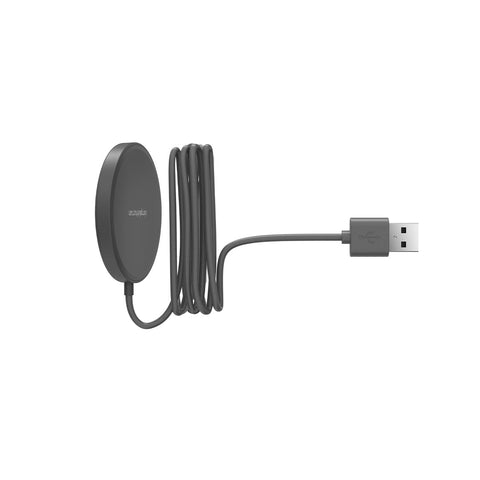
Charging Dock
PD6296
$25
INSTRUCTIONS
Instruction Sheet
Download the instruction sheet for your Instruction Sheet.
WARRANTY
To file a warranty claim, please click here.
CONTACT US
Chat With Us
Start chat (8am - 5pm PST)
